In this guide
💡 The Short Version: A Japan eSIM is a digital mobile data profile downloaded directly to your phone, eliminating physical SIM cards and airport rental queues. It requires an unlocked smartphone (iPhone XS/XR or newer, or compatible Android). Install the eSIM over Wi-Fi before boarding your flight: Nomadad operates on KDDI au and SoftBank, and Sailyad provides global multi-carrier connectivity. Travel eSIMs are data-only: use WhatsApp, FaceTime, or LINE for communication. Or book a tour: an orientation city tour with transit navigation starts from ¥16,000.
Why mobile data is indispensable in Tokyo
Navigating Tokyo independently without cellular connectivity is challenging, even for seasoned travellers. Mobile data is essential for four daily travel functions:
- Intricate railway navigation: Tokyo’s metropolitan rail network comprises over 882 railway stations across dozens of competing private and municipal operators. Navigating transfers at colossal labyrinths like Shinjuku, Shibuya, or Tokyo Station requires real-time routing tools like Google Maps or Japan Travel by NAVITIME to locate the exact numbered platform, car boarding position, and station exit.
- Instant optical translation: Many traditional izakayas, ramen shops, and neighbourhood sento bathhouses post menus and instructional signs solely in Japanese kanji. Google Lens or Apple Visual Intelligence requires active data to translate text instantly through your camera viewfinder.
- Digital restaurant ticketing: Tokyo’s most popular casual restaurants—such as Midori Sushi in Shibuya or Tonkatsu Tonki—use automated ticketing systems or LINE mobile queues to manage customer waits.
- Transit card recharging: Storing digital Suica or Pasmo transit cards in your Apple Wallet or Google Wallet allows you to tap through ticket turnstiles and pay at vending machines; recharging the card balance on the go requires an active data link.
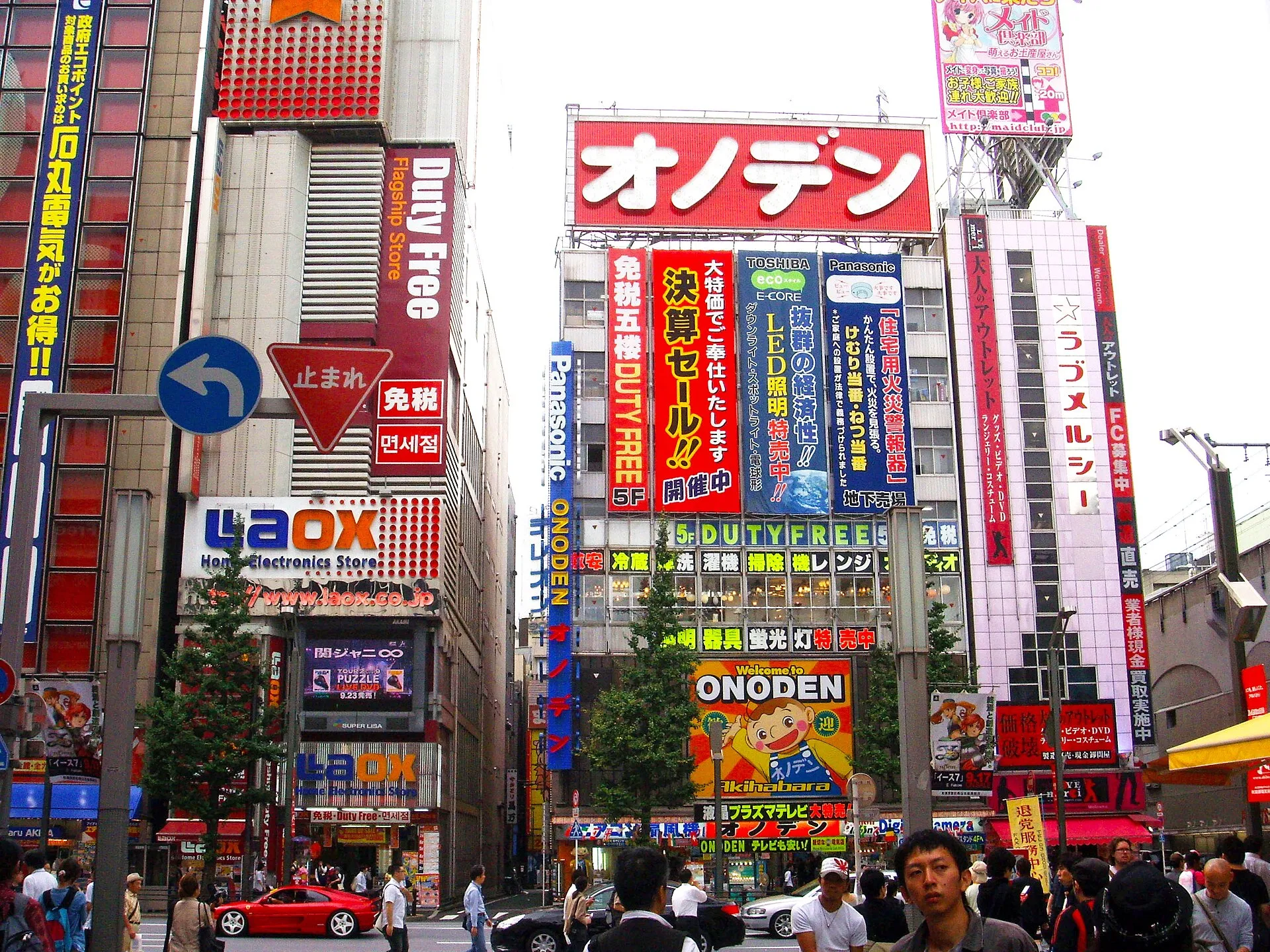
Electronics shops in Akihabara. Photo: Richie, Wikimedia Commons, CC BY-SA 2.0.
Device compatibility and network unlocking
Before purchasing an eSIM plan, ensure your handset meets two strict technical requirements:
1. Carrier unlock status
Your smartphone must be carrier unlocked (SIM-lock free). If your phone was purchased under a monthly service contract from a home network provider (such as EE, Vodafone, AT&T, or Verizon), it may be software-locked to that carrier’s network.
To check on an iPhone: Go to Settings → General → About → Carrier Lock. If it displays “No SIM restrictions”, your phone is unlocked and ready for an eSIM. If it displays “SIM locked”, contact your home mobile network to request an unlock before travelling.
2. Handset model compatibility
- Apple iPhone: Compatible models include iPhone XS, XS Max, XR, 11 series, 12 series, 13 series, 14 series, 15 series, 16 series, and iPhone SE (2nd and 3rd generations). Detailed compatibility tables are maintained on Apple’s official eSIM support portal.
- Important Regional Exception: iPhones manufactured for mainland China feature two physical nano-SIM card slots and do not support eSIM. Certain dual-SIM iPhone models purchased in Hong Kong and Macao also lack eSIM functionality.
- Android devices:
- Google Pixel: Pixel 3a, 4, 4a, 5, 6, 7, 8, and 9 series.
- Samsung Galaxy: Galaxy S20, S21, S22, S23, S24 series (global/unlocked models), Galaxy Z Flip, and Z Fold series.
- Check device-specific lists directly on Saily’s device checker and Nomad’s compatible devices guide.
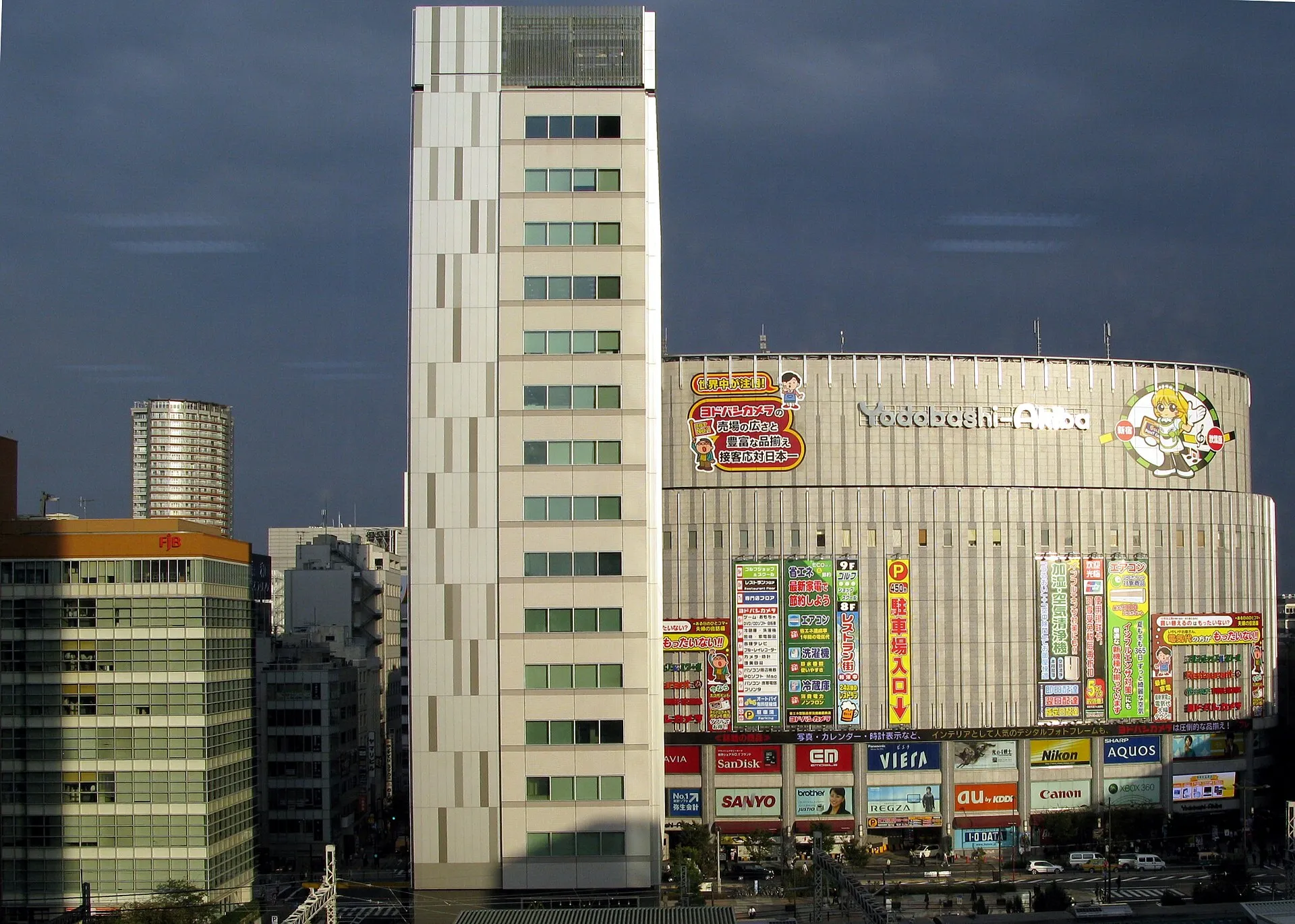
The multi-storey Yodobashi-Akiba electronics megastore in Akihabara. Photo: James Morris, Wikimedia Commons, CC BY 2.0.
Japanese cellular networks explained
When you purchase a travel eSIM, the international reseller routes your data through roaming agreements onto one of Japan’s major domestic mobile network operators:
| Domestic Carrier | Network Strengths | Best suited for | Frequency Bands |
|---|---|---|---|
| NTT Docomo | Japan’s largest telecommunications provider. Unmatched coverage in rural areas, subways, and mountain regions (Mount Fuji, Nikko, Hakone) | Travellers taking extensive day trips or rural excursions | 4G: Band 1 (2100MHz), Band 3 (1800MHz), Band 19 (800MHz “Platinum Band”); 5G: n78, n79 |
| SoftBank | Exceptional high-speed urban 4G/5G performance across Tokyo, Osaka, Kyoto, and major bullet train corridors | Metropolitan city breaks and social media heavy users | 4G: Band 1, Band 3, Band 8 (900MHz “Platinum Band”); 5G: n77 |
| KDDI (au) | Highly reliable high-speed network with robust subway and indoor commercial building penetration | Urban and suburban exploration | 4G: Band 1, Band 18/26 (800MHz “Platinum Band”); 5G: n77, n78 |
Having access to a carrier utilizing Japan’s 800 MHz or 900 MHz “platinum bands” (Docomo Band 19, au Band 18, SoftBank Band 8) ensures strong cellular signal inside concrete subway stations, subterranean shopping malls, and rural train tunnels.
Top Japan eSIM providers compared
| Provider | Local Host Networks | Plan Types | Pricing Model | Hotspot / Tethering |
|---|---|---|---|---|
| Nomadad | KDDI (au) & SoftBank | Fixed data: 1 GB (7 days); 3, 5, 10, 20, 50 GB (30 days) Unlimited: 3, 5, 7, 10, 15, 21 days | Upfront bundle price in local home currency | Supported on all plans |
| Sailyad | Multi-carrier auto-switching | Fixed data: 1 GB (7 days); 3, 5, 10, 20 GB (30 days) | Simple tier pricing via dedicated mobile app | Supported |
| Airalo (Moshi Moshi) | SoftBank 4G/5G | Fixed data: 1 GB to 20 GB (7 to 30 days) | In-app credit or card checkout | Supported |
Fixed data bundles vs unlimited plans
- Fixed data bundles (recommended for most travellers): A 10 GB or 20 GB 30-day package from Nomad or Saily offers the best value. Most travellers use approximately 1 to 1.5 GB per day for navigation, social messaging, and web browsing while connected to hotel Wi-Fi at night. Full-speed data is maintained across the entire allowance.
- “Unlimited” plans: Scrutinize the fine print. Most unlimited travel eSIMs enforce a Fair Usage Policy (FUP) that limits high-speed data to 1 GB to 3 GB per calendar day. Once exceeded, speeds drop to an unusable 128 kbps or 384 kbps until midnight.
Step-by-step setup and activation guide
To guarantee seamless connectivity the moment your plane lands in Japan, follow this checklist:
Before you fly (at home on stable Wi-Fi)
- Purchase your plan: Buy your chosen eSIM package from Nomadad or Sailyad.
- Install the eSIM profile: Open the confirmation email or provider app. On iOS, go to Settings → Cellular/Mobile Data → Add eSIM, then scan the provided QR code. On Android, go to Settings → Network & Internet → SIMs → Add SIM.
- Label your lines: Name your existing physical card “Home” and the newly installed profile “Japan eSIM”.
- Turn the Japan eSIM line OFF: Keep the line toggled off until you reach Japanese airspace to prevent premature activation if your provider starts the clock upon network discovery.
Upon landing at Haneda or Narita Airport
- Enable the travel line: Go to Settings → Cellular/Mobile Data. Set Mobile Data to “Japan eSIM”.
- Enable Data Roaming: Tap into the “Japan eSIM” profile settings and toggle Data Roaming ON. (Data roaming is required for travel eSIMs to connect to local Japanese host networks).
- Protect your home line: Set your “Home” line to handle Default Voice Line (if you wish to receive incoming emergency calls or two-factor authentication SMS codes), but ensure Data Roaming is turned OFF on your Home line to avoid unexpected roaming fees from your domestic carrier.
eSIM vs physical SIM card vs pocket Wi-Fi
| Method | Setup convenience | Battery impact | Device sharing | Typical cost for 14 days |
|---|---|---|---|---|
| eSIM | Instant digital setup; zero airport queues; keep home SIM inside phone | Zero extra battery drain | Supports hotspot/tethering | ~¥2,500 to ¥4,500 ($18–$30) |
| Physical Tourist SIM | Must collect at airport counter or electronics store (Bic Camera); requires ejecting home nano-SIM | Zero extra battery drain | Supports hotspot/tethering | ~¥3,500 to ¥6,000 |
| Pocket Wi-Fi Router | Must queue to collect and return device at airport; carry extra battery pack | Phone battery preserved; router battery lasts 8–10 hours | Connects 5 to 10 devices simultaneously | ~¥8,000 to ¥14,000 |
Pocket Wi-Fi routers (such as Ninja WiFi or Japan Wireless) remain popular for families or small groups sharing a single connection across multiple laptops, tablets, and phones. However, for solo travellers and couples, an eSIM is cheaper, requires carrying no extra hardware or charging cables, and avoids airport return queues.
Guided orientation tours
If you want an expert local guide to help you navigate Tokyo’s transport systems, ticket vending machines, and landmark districts on your first morning, consider a full-day guided walking tour:
Best of Tokyo: Guided Full-Day City Tour with a Local
From ¥20,248 · 4.6 stars from 250 reviews · 6 hours · Small group
Best of Tokyo: Guided Full-Day City Tour with a Localad navigates Tokyo’s major historical and modern sights—including Senso-ji, Meiji Jingu, and Shibuya—while teaching you how to master the railway turnstiles, subway lines, and local etiquette.
Shinjuku Food Tour (13 Dishes and 4 Eateries)
From ¥13,200 · 4.9 stars from 3,939 reviews · 3 hours · Evening food walk
Tokyo: Shinjuku Food Tour (13 Dishes and 4 Eateries)ad introduces guests to four vetted eateries across Shinjuku, sampling Wagyu beef, sushi, and izakaya specialities with an English-speaking guide.
From Tokyo: Mt Fuji Day Trip to Oishi Park & Oshino Hakkai
From ¥7,800 · 4.8 stars from 6,302 reviews · 10 hours · Guided coach tour
From Tokyo: Mt Fuji Day Trip to Oishi Park & Oshino Hakkaiad takes you directly by coach to Lake Kawaguchiko, Oishi Park, and Oshino Hakkai with live commentary and onboard Wi-Fi.
Connecting practical planning guides
- Payment Methods: Learn where contactless cards work and where cash is mandatory in our money in Tokyo guide.
- Tax-Free Shopping: Understand how to claim 10% consumption tax refunds at electronics stores in tax-free shopping in Japan.
- Public Transit: Set up digital IC cards and 24-hour subway passes using our Tokyo public transport guide.
- Airport Arrivals: Review transfer logistics in Narita Airport to Tokyo and Haneda Airport to Tokyo. Full attraction bookings are catalogued on the Tokyo hub.
Common questions
Do I need mobile data for travelling in Tokyo?
While public Wi-Fi exists in major stations, having reliable cellular data on your phone is essential for live navigation on complex train networks, translating kanji menus with Google Lens, checking digital restaurant queue tickets, and navigating underground exits.
Which smartphone models support a Japan eSIM?
Apple iPhones from the iPhone XS, XS Max, and XR through iPhone 16 series support eSIM (excluding models built for mainland China with dual physical nano-SIM trays). Google Pixel 3a and later, Samsung Galaxy S20 and later (global models), and recent Sony Xperia flagships also support eSIM.
Does an eSIM require my phone to be carrier unlocked?
Yes. Your smartphone must be carrier unlocked (SIM-lock free) by your home mobile network before you depart. If your phone is locked to a domestic carrier contract, travel eSIM profiles cannot be installed.
Does a Japan travel eSIM include a local Japanese telephone number?
The vast majority of travel eSIMs for Japan are data-only profiles without voice call or SMS capabilities, due to strict Japanese telecommunications identity verification laws. Voice calls and messaging are handled seamlessly via WhatsApp, FaceTime, Line, or Skype.
Which Japanese mobile network provides the best coverage?
NTT Docomo offers the widest overall rural and mountain coverage (essential for Mount Fuji, Hakone, and Nikko). SoftBank and KDDI (au) offer ultra-fast 5G and 4G LTE performance across Tokyo, Kyoto, Osaka, and central urban corridors.