In this guide
💡 The Short Version: A US eSIM is a data plan you install on your phone before you fly, so it connects when you land. Your phone must be eSIM-capable and carrier unlocked. Sailyad offers 1 GB for 7 days, 3 to 20 GB for 30 days and unlimited for 15 days, and Nomadad offers unlimited for 3, 5 and 7 days and fixed plans up to 100 GB. Install over Wi-Fi at home, turn data roaming on for the eSIM line and turn it off for your home line. Travel eSIMs are data only: use WhatsApp, FaceTime or iMessage for calls.
What data does in New York
A phone with data does four jobs in New York:
- Maps and the subway. Station exits, express and local trains and weekend service changes all show up in a maps app; the MTA’s service pages are online.
- Paying for transport. An Apple Pay, Google Wallet or Samsung Wallet card taps onto the OMNY readers on the subway and buses (MTA). See New York public transport.
- Rides and tickets. Uber and Lyft are apps, and tickets for the observation decks and museums are sold online for timed entry.
- Tips and payments. Some service providers take tips by Venmo, Zelle or Cash App QR code, which may need a US bank account (NYC Tourism); see money in New York.
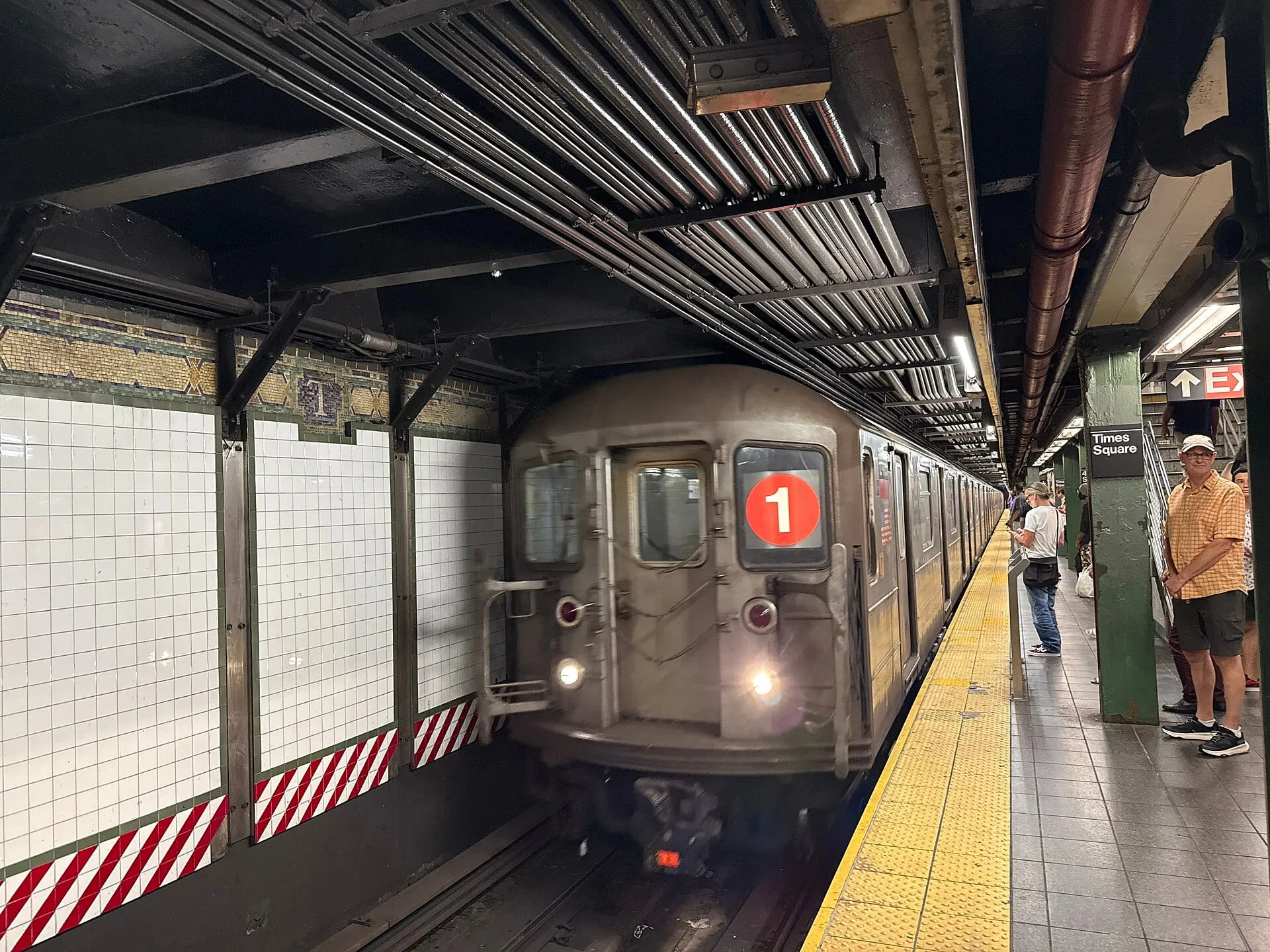
A 1 train at Times Square-42nd Street. Photo: Dough4872, Wikimedia Commons, CC BY-SA 4.0.

The Manhattan skyline from Brooklyn Bridge Park. Photo: Jakub Hałun, Wikimedia Commons, CC BY 4.0.
Which phones work
Your phone must support eSIM and be carrier unlocked.
- iPhone: the XS, XS Max, XR and later models, except models built for mainland China and some Hong Kong and Macao models. Apple lists the models on its eSIM support page.
- Android: Google Pixel 3a and later and recent Samsung Galaxy S models. Check your phone on Saily’s device checker or Nomad’s compatible devices page.
- Carrier unlock: if you bought your phone on a monthly contract, your home network may have locked it. On an iPhone, open Settings, General, About and look for “Carrier Lock”: “No SIM restrictions” means it is unlocked.
The plans compared
| Provider | Fixed data | Unlimited | Activation |
|---|---|---|---|
| Sailyad | 1 GB for 7 days; 3, 5, 10 and 20 GB for 30 days | 15 days | Install before you fly; see the plan page for when it starts |
| Nomadad | 1 GB for 7 days; 3, 5, 10, 20 and 50 GB for 30 days; 75 GB for 180 days; 100 GB for 365 days | 3, 5 and 7 days | Start within 60 days of purchase; starts on connecting to a US network |
Both show prices in your own currency, so the plan page is the place to compare. Nomad’s plan page says speeds reach 5G or 4G depending on the plan and location. The Saily and Nomad plan pages are in the links below (Saily USAad, Nomad USAad).
Days or gigabytes. Unlimited plans are sold by the day (Saily 15 days; Nomad 3, 5 or 7), and fixed plans last 7 days, 30 days or longer. Read the daily allowance on an unlimited plan before you buy.
Phone wallets and the fare cap
A phone is the simplest way to pay for the subway, but the weekly cap follows the card in the wallet, not the phone alone. The MTA’s rule is to use the same device and the same card in your mobile wallet for every tap; tap the card once and the phone another time and the two count as separate payment methods. Your first tap with a new card or device cannot pay for anyone else, because the bank has to approve the card first, and group trips do not count towards the cap (MTA). A phone with a flat battery cannot tap, so carry a second contactless card or buy an OMNY Card at a station vending machine.
Add-ons and regional plans
If your data runs out, Nomad sells add-on plans that start automatically when your first plan expires, so the connection does not drop. Its pages also list regional plans that include the United States: a North America plan covering three destinations, and global plans. Both providers sell prepaid plans, paid up front, so there is no bill after you fly home.
Setting it up
Before you fly, on home Wi-Fi
- Buy the plan from Sailyad or Nomadad.
- Install the profile. Open the confirmation email or the provider’s app. On an iPhone, go to Settings, then Cellular or Mobile Data, then Add eSIM, and scan the QR code. On Android, go to Settings, Network & internet, SIMs, then Add SIM.
- Name the lines “Home” and “USA”.
- Keep the USA line off until you land if your provider starts the plan on first connection.
When you land
- Set Mobile Data to the USA eSIM.
- Turn Data Roaming on for that line. A travel eSIM needs it to connect to the US network.
- Turn Data Roaming off on your home line, so your own carrier does not bill you.
- Leave the home line on for calls and texts you still want, such as bank codes.
Apps to install before you fly
| App | What it is for |
|---|---|
| Your phone’s wallet | Tapping onto the subway and buses; no MTA app or sign-up is needed |
| MTA Trip Planner | Routes and service changes on the subway and buses (NYC Tourism) |
| TrainTime | Tickets and times for the Long Island Rail Road and Metro-North, including from JFK (JFK Airport) |
| NJ Transit | Tickets for Newark Airport trains; tickets bought ahead in the app include the AirTrain fare (Newark Airport) |
| NYC Ferry | The app redeems a ferry ticket (NYC Ferry) |
| Citi Bike | Single rides and day passes are unlocked in the app (Citi Bike) |
| Uber, Lyft, Curb or ARRO | Ride apps; Curb and ARRO book yellow taxis, including accessible ones |
You can also text a bus stop’s six-digit code and the route to 511123 to see when a bus arrives, which works without data on a phone with ordinary texting.
If you do not want an eSIM
Your home provider may offer a US roaming day pass or inclusion; check the rate before you travel. Hotels, cafes and many public buildings have Wi-Fi. A phone with no data still works for the maps you downloaded and for tapping to pay.
Before you go
An eSIM covers the phone. For the entry rules and the forms, see the New York city guide. The airports have their own pages: JFK, Newark and LaGuardia. In the city, is New York safe? covers keeping the phone safe on crowded streets, and 3 days in New York shows a route that uses it.

Times Square at night. Photo: Ermell, Wikimedia Commons, CC BY-SA 4.0.
Common questions
Do I need an eSIM in New York?
You need mobile data for maps, ride apps and tickets on your phone, but not necessarily an eSIM: your home plan may roam, and hotels and cafes have Wi-Fi. An eSIM installed before you fly gives you data from landing, without a shop visit or a swap of your home SIM.
Which phones support an eSIM?
Most iPhones from the XS and XR onwards, Google Pixel 3a and later, and recent Samsung Galaxy S models. Check your exact model on Apple's eSIM support page, Saily's device checker or Nomad's compatible devices page. Your phone must also be carrier unlocked.
How much data do the plans give?
Saily sells 1 GB for 7 days, then 3, 5, 10 and 20 GB for 30 days, and unlimited for 15 days. Nomad sells unlimited for 3, 5 and 7 days, fixed plans from 1 GB for 7 days up to 50 GB for 30 days, and longer 75 GB and 100 GB plans.
Can I install the eSIM before I fly?
Yes, on home Wi-Fi. Nomad's plan starts when it first connects to a US network, and you must start it within 60 days of buying.
Does an eSIM include a US phone number?
Travel eSIMs are data plans. Calls and messages go through apps such as WhatsApp, FaceTime or iMessage. Keep your home SIM active for text codes.
Can I pay for the subway with my phone?
Yes. Add a card to Apple Pay, Google Wallet or Samsung Wallet and tap the OMNY reader. The fare is $3 and weekly fares cap at $35.